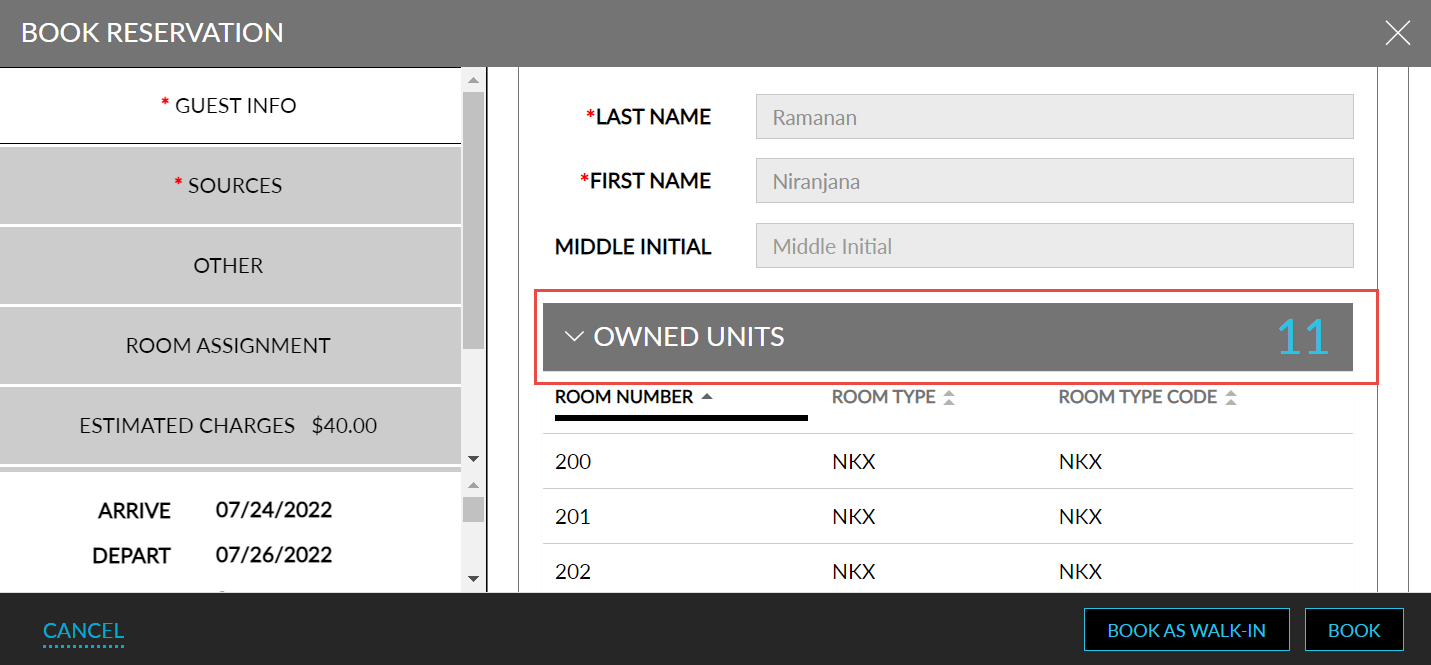
Displaying Owned Units
Stay is enhanced to display the units owned by the guest under the guest profile during reservation creation. Previously, users were able to view the units owned by the guests in the guest’s profile. Now, users can directly view the units owned by the guest and select the rooms to be assigned. This feature is enabled to the user only if the following settings are made:
-
The feature setting, Profile search prior to new reservation, must be enabled.
-
The feature setting, Owners, must be enabled.
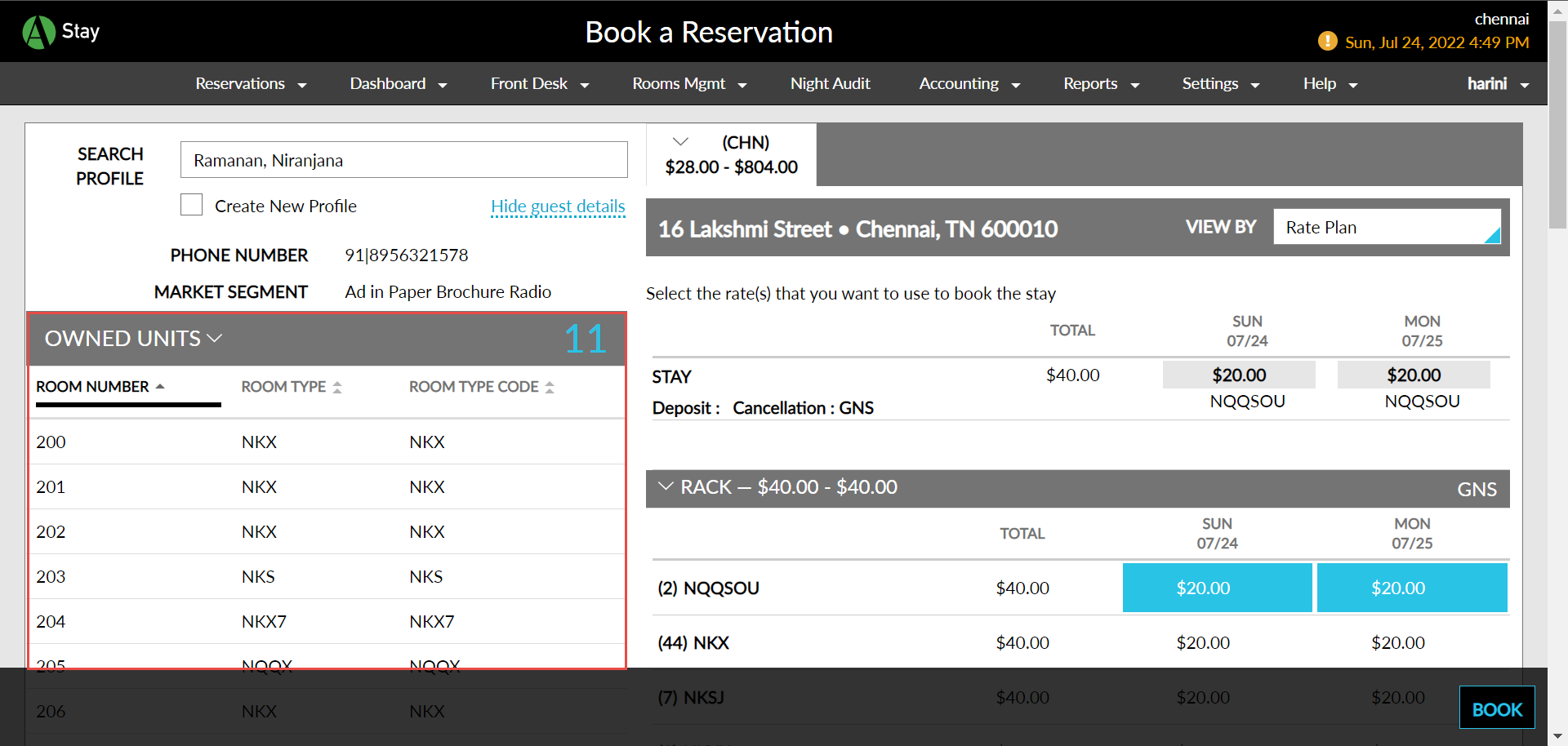
To support this, a new section, Owned Units, has been added to the following screens:
-
Book a Reservation screen (Reservations ➜ Book a Reservation).
-
Book Reservation modal
Perform the following actions to view the owned units while creating a reservation:
Navigate to Reservation ➜ Book a Reservation.
Enter the guest’s name in the Search Profile field.
Choose the guest profile from the list. A hyperlink, Show guest details, is displayed.
Click the hyperlink. A new section, Owned Units, is displayed, where users can view the list of units owned by the guest.
Sample screen for Book a Reservation
Sample screen for Book Reservation modal: